

.svg)


.avif)
.avif)


Custom Workflow Fields
Use your organization's fields and terminology in the document workflow — e.g. Loan Application Number, Employee ID — instead of Leegality's standard ones

.svg)
Why you need this feature
Every business process comes with its own unique identifier. A loan has a Loan Application Number, HR assigns Employee IDs, banks run on Customer and CIF numbers, vendor NDAs carry Vendor IDs.
A typical eSign flow does not support these identifiers — instead running on a static and fixed set of identifiers like Document Name and Internal Reference number.
This creates 3 problems:
🔗 An extra mapping exercise: You have to map your internal identifier to the eSign flow's identifier — an extra "mapping" and "integration" exercise in your own systems
🚫 No way to block wrong data: If wrong data is passed into the document execution platform, you have no way of catching it
📄 No single view of a transaction: You fill your business identifier (like a Loan ID) into a generic field like IRN — but you can't see all documents executed under that Loan ID in one place. You have to open each document to check.
That's where Leegality Custom Workflow Fields comes in.
With Custom Workflow Fields, you can:
🧩 Add your own custom fields to the Leegality document workflow.
✅ Build regex validations for each custom field — helping prevent errors and incorrect data.
🔗 Use the same unique business identifier across your documents and other systems — ensuring documents are truly integrated into your information system.
Flow
.svg)
.svg)
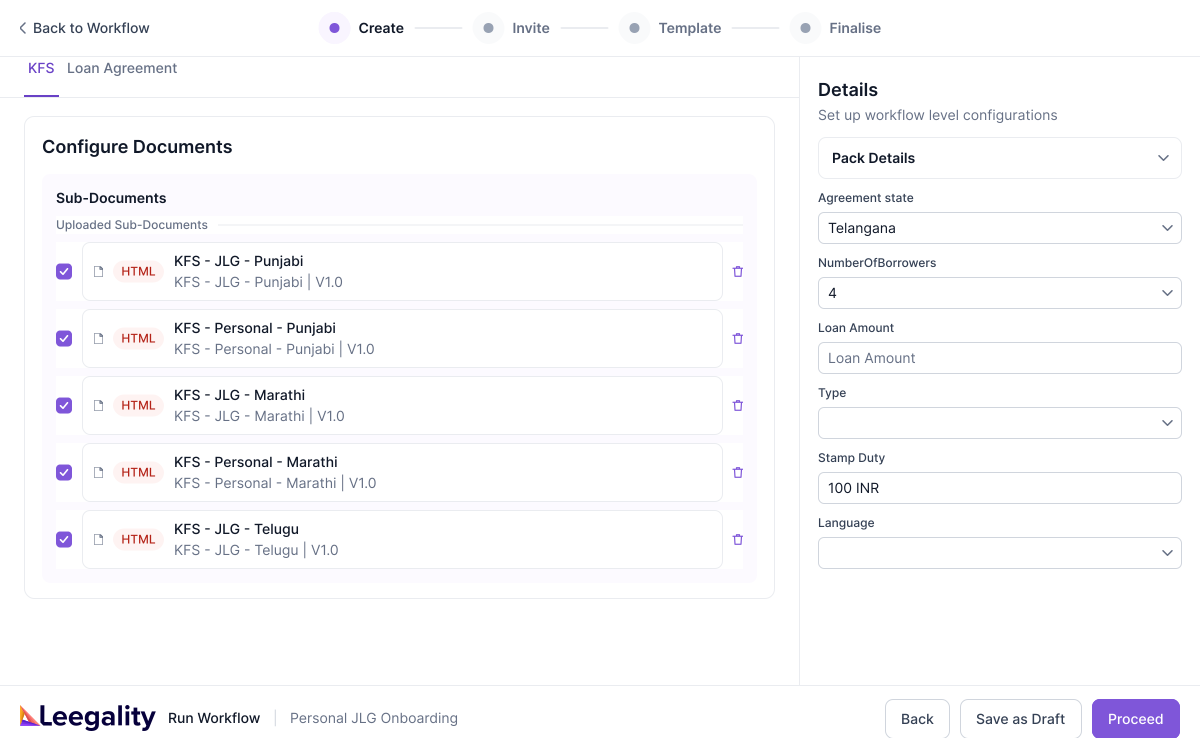
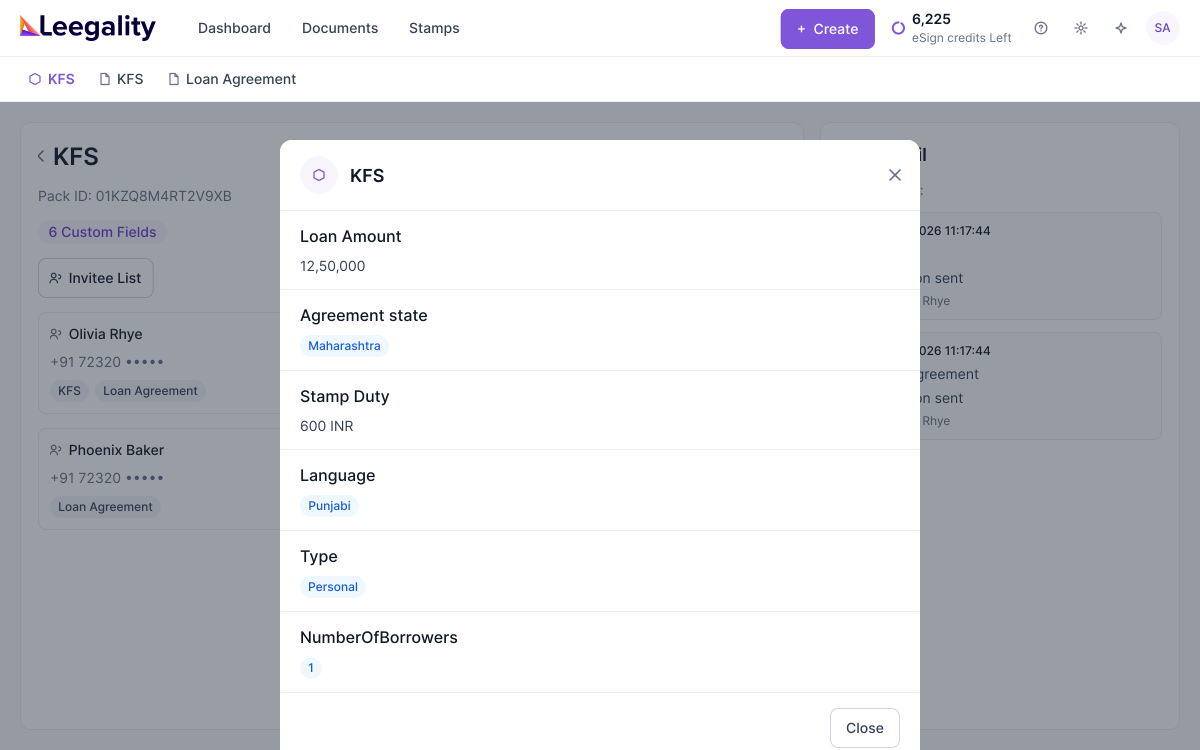
How Custom Workflow Field Works
Feature benefits

Heading
Lorem ipsum dolor sit amet, consectetur adipiscing elit. Suspendisse varius enim in eros elementum tristique. Duis cursus, mi quis viverra ornare, eros dolor interdum nulla, ut commodo diam libero vitae erat. Aenean faucibus nibh et justo cursus id rutrum lorem imperdiet. Nunc ut sem vitae risus tristique posuere.

Same identifiers across every system
Your LOS, MIS, and executed documents all refer to the transaction by the same ID

Invalid data can't get through
Regex rules catch wrong-format IDs before the workflow is sent

Faster reconciliation
Executed documents return with your identifiers attached — no Excel mapping, no lookups
More resources
