

.svg)


.avif)
.avif)


Leegality Rule Engine
With Rule Engine, your document workflow can change on a case-by-case basis based on your internal compliance and legal SOPs

.svg)
Why you need this feature
Every business process runs on rules and SOPs which dictate exactly how documents get executed.
Lenders may switch eSign type by loan ticket size. Virtual eSign for low-ticket, Aadhaar eSign for high-ticket.
HR teams decide whether the CEO or the Hiring Manager signs an employment agreement based on the hire's designation.
Rural lenders switch eSign flows to vernacular languages based on borrower preference.
Until now, accommodating these rules and SOPs meant:
⚙️ Complex automation: Building multiple workflows on Leegality and orchestrating them through your own middleware or partner platform (LOS, LMS, etc.) — adding complexity and months to implementation.
📝 Forced into manual processes: Making on-ground employees read the SOP, follow it to the tee, and configure the correct document flow on Leegality each time — increasing the possibility of mistakes
That's where the Leegality Rule Engine comes in.
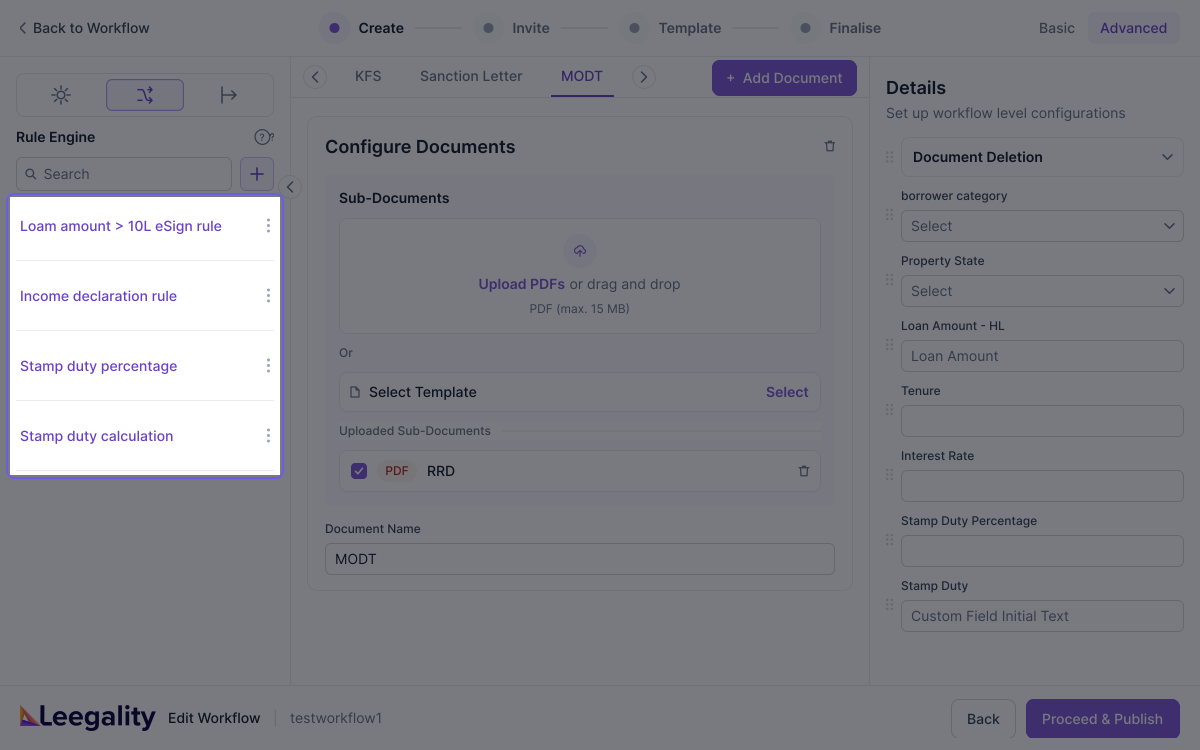
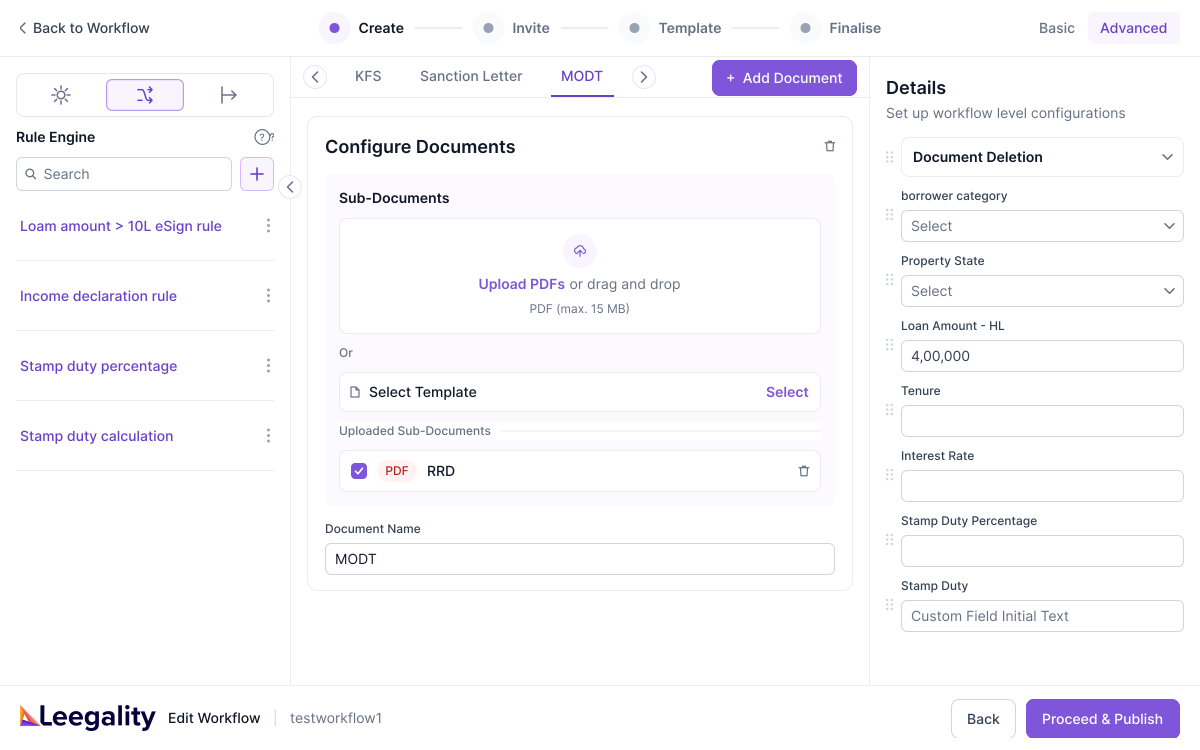
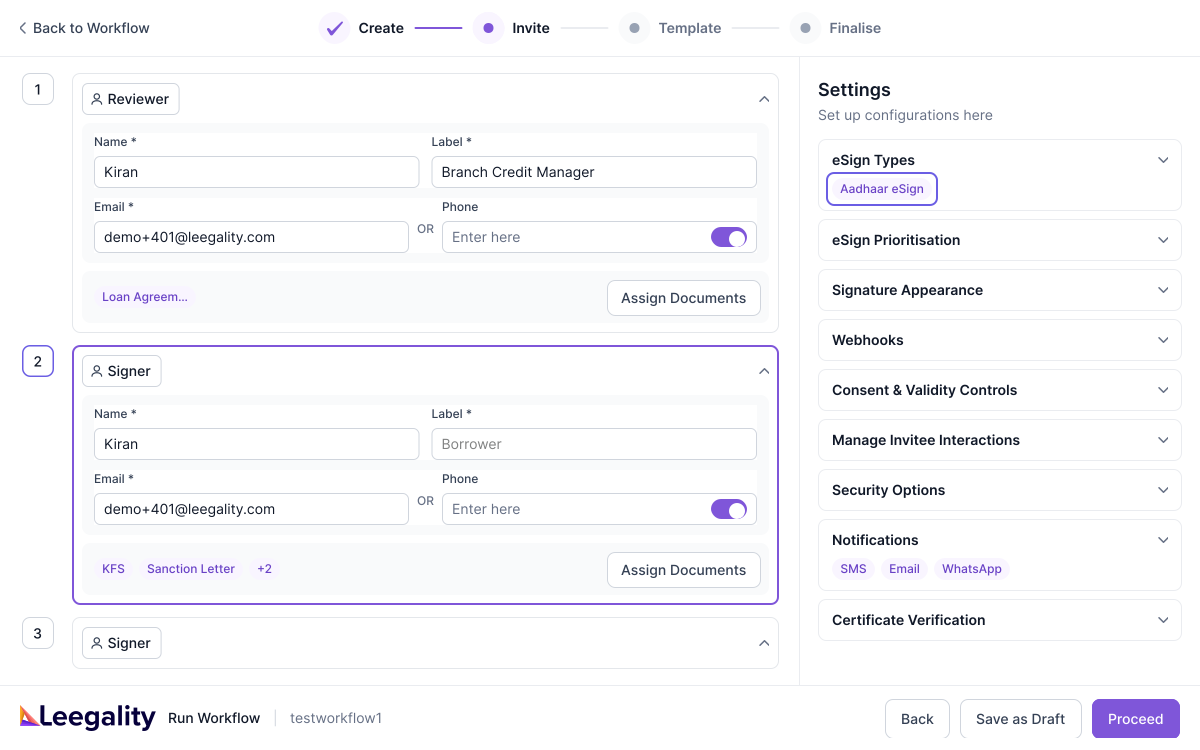
With the Rule Engine, you can configure your SOPs directly into a document workflow as "rules".
When a document workflow is run — either via dashboard or API — the Rule Engine will detect which rules apply and automatically build a customized workflow on-the-fly that adheres to the SOP.
Illustration 1: Conditional rules
Your company's SOP requires loans of ticket size greater than 2L to have an Aadhaar eSign affixed whereas loans of less than 2L can make do with a OTP based virtual sign.
Borrower A is taking a loan of INR 5L. Borrower B is taking a loan of INR 1L.
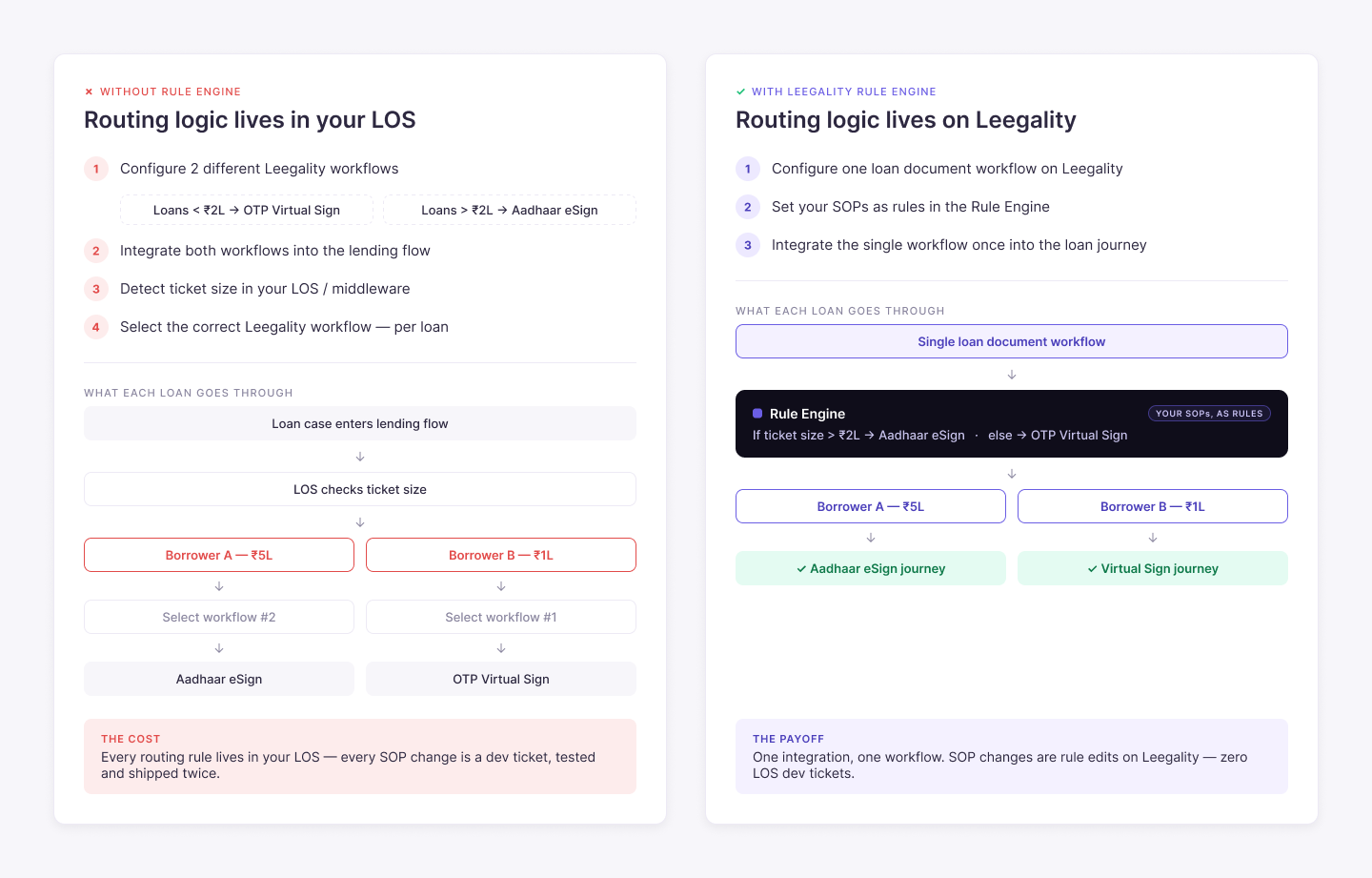
Without Rule Engine: You would have to configure 2 different workflows on Leegality — one for loans less than 2L and one for loans greater than 2L and both workflows would need to be integrated into your lending flow. You would need to build a system at your end (either in your LOS or via middleware) to detect the ticket size for a particular case. After you determine ticket size, your system will need to select the correct Leegality workflow
In this scenario, the Leegality workflow is a "dumb instrument" — only suitable for a single type of flow.
You will need to build all orchestration and SOP execution at your end via partners (LOS/LMS) or via middleware — increasing your implementation timelines, costs and system complexity.
With Rule Engine: You configure a single loan document workflow on Leegality — and configure your SOPs as rules in the Rule Engine. Integrate the single workflow into your loan journey and the same loan document workflow will run differently for Borrower A and Borrower B.
Borrower A will experience an Aadhaar eSign journey while Borrower B will experience a Virtual Sign journey.
Illustration 2: Auto-calculated values
The illustration above showed the Rule Engine switching a workflow configuration based on a condition. The Rule Engine can also do a second thing: automatically calculate the value of a workflow field based on a formula you configure.
The best example of this is Stamp Duty.
Stamp duty is not one number. It is a function of the State, the article code and — in many States — the ticket size of the transaction. A ₹50L Loan Against Property in Maharashtra attracts an ad valorem duty calculated on the loan amount. A ₹50K microfinance loan in Karnataka attracts a flat ₹100.
Borrower A is taking a ₹50L LAP in Maharashtra. Borrower B is taking a ₹50K loan in Karnataka.
.png)
Without Rule Engine: You would maintain the stamp duty logic outside Leegality — in an Excel chart, an SOP document, or hardcoded in your LOS/middleware. For every case, your branch staff or your system would need to look up the correct duty and pass it into the workflow. A wrong lookup means an incorrectly stamped document — creating compliance risk and, in the worst case, forcing re-execution
In this scenario, your stamp duty SOP lives in a chart somewhere — and every document depends on someone reading that chart correctly, every single time.
With Rule Engine: Configure stamp duty as a formula in the Rule Engine — Stamp Duty = f(State, Article Code, Loan Amount). When the workflow runs, the Rule Engine picks up the State and ticket size for that case and calculates the correct duty automatically. Borrower A's agreement is stamped at the Maharashtra LAP rate. Borrower B's is stamped at a flat ₹100. Nobody looked anything up — and nobody could get it wrong.
Flow

How Leegality Rule Engine Works
Feature benefits

Heading
Lorem ipsum dolor sit amet, consectetur adipiscing elit. Suspendisse varius enim in eros elementum tristique. Duis cursus, mi quis viverra ornare, eros dolor interdum nulla, ut commodo diam libero vitae erat. Aenean faucibus nibh et justo cursus id rutrum lorem imperdiet. Nunc ut sem vitae risus tristique posuere.

One single workflow per use case
Handles all the permutations and combinations required by your SOPs and processes — eliminating need to configure multiple workflows

Stamp duty calculates itself
State, article code and ticket size in, correct duty out

No tech/IT involvement
Update your SOPs and how the workflow runs without tech/IT involvement
More resources
